
Coming soon to iPhone
Your Google Maps rank changes from street to street.
Streetfinch checks one search phrase from spots all around your business and puts the answers on a map. You see where nearby customers find you, and where they find someone else first.
Opens your email app. We will use your address only to tell you when Streetfinch is available.
How a check works
Step 1: Find your business
Search by name and confirm it is the right listing on Google Maps.
Step 2: Choose what customers search for
Use the service you offer, such as “dentist near me”, not your business name. That is how new customers look.
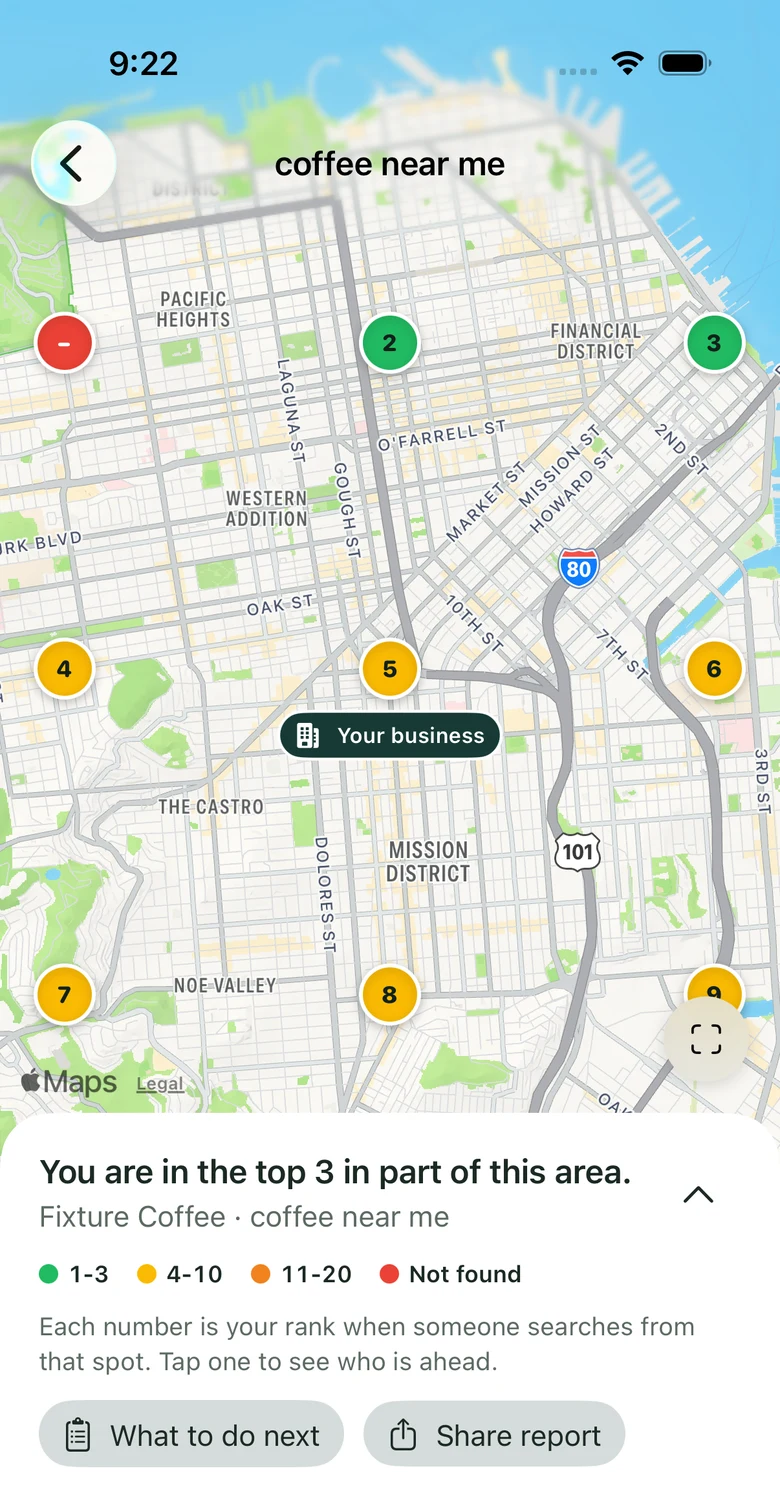
Step 3: See your rank across the neighborhood
Each number on the map is your rank when someone searches from that spot. You see the cost before every check.
What you will see
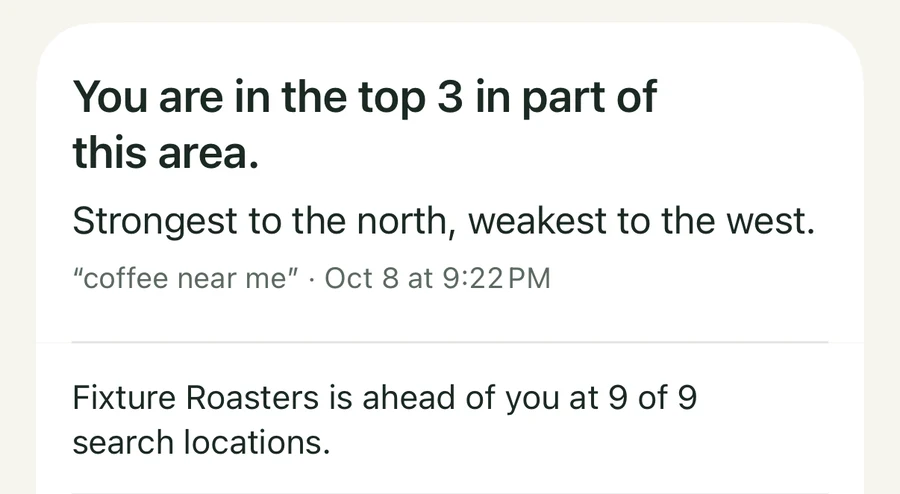
A plain answer, and who is ahead of you
Every check opens with one sentence, such as “You are in the top 3 in part of this area”, and tells you where you are strongest and weakest. Streetfinch then names the businesses that outrank you and at how many search locations each one is ahead.
- Top 3
- 4 to 10
- 11 to 20
- Not found
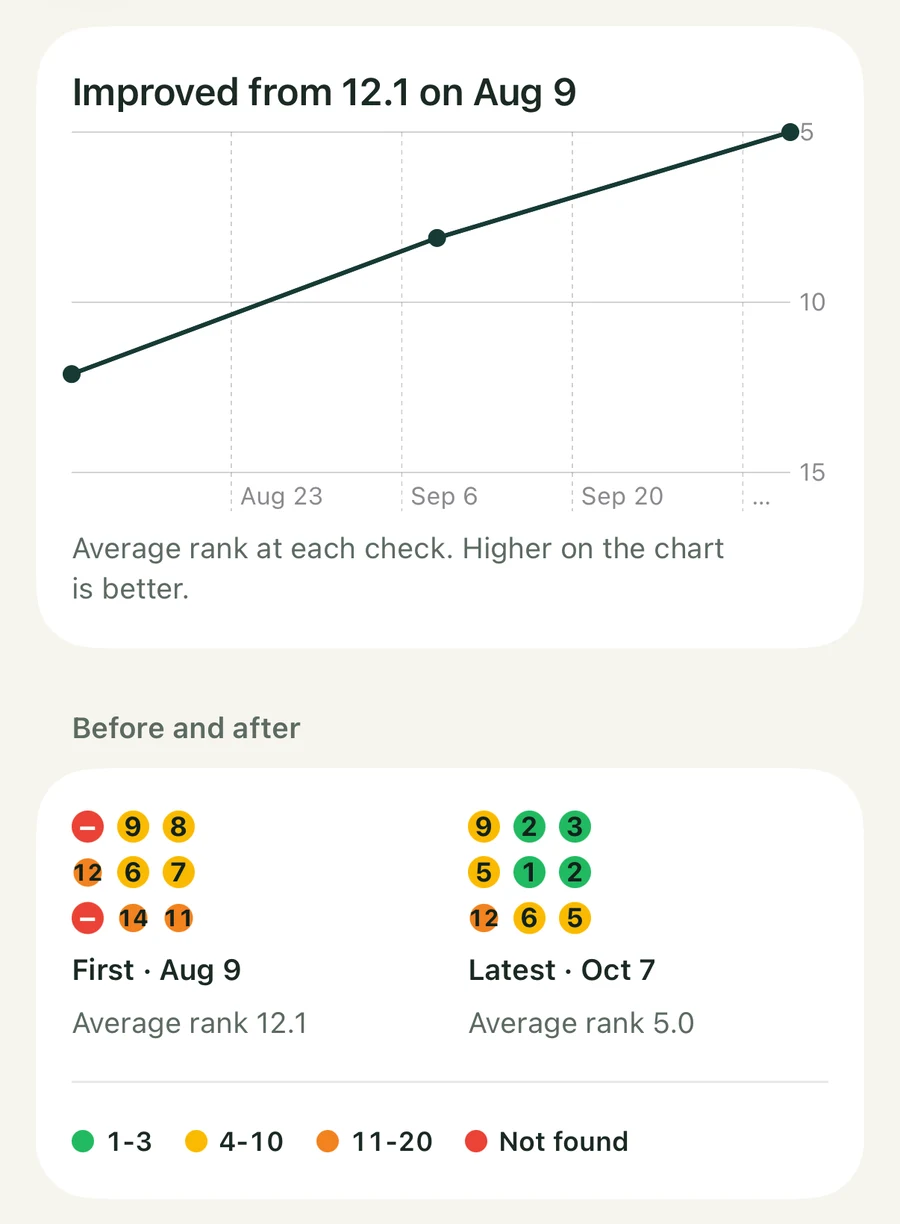
Whether it is getting better or worse
Run the same check again later. Streetfinch draws the trend for that phrase and puts your first check next to your latest one, so a change is easy to see and easy to show someone else.
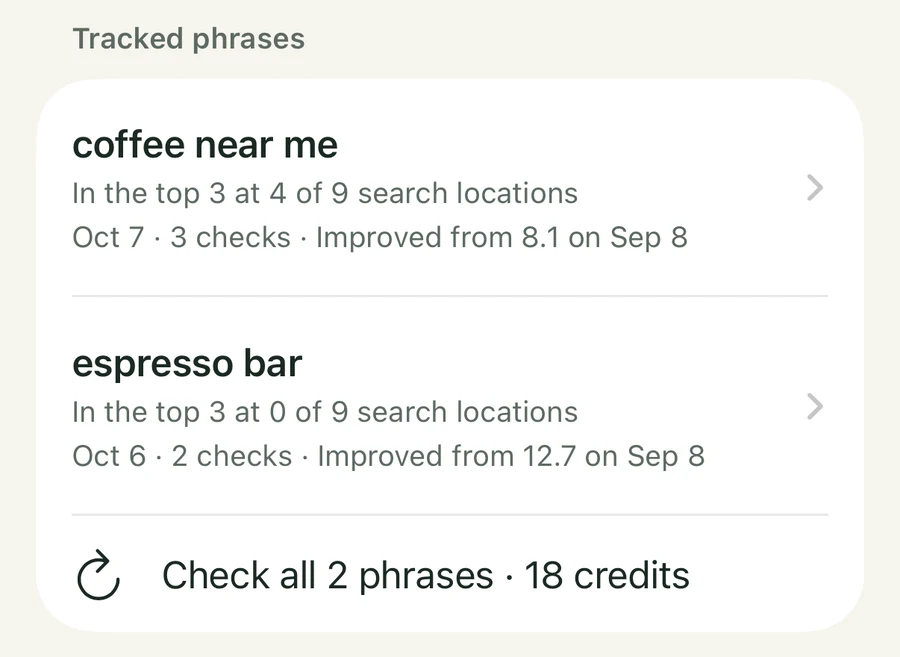
Several search phrases for each business
Customers do not all type the same thing. Track the phrases that matter to you, such as “coffee near me” and “espresso bar”, and re-check them all at once.
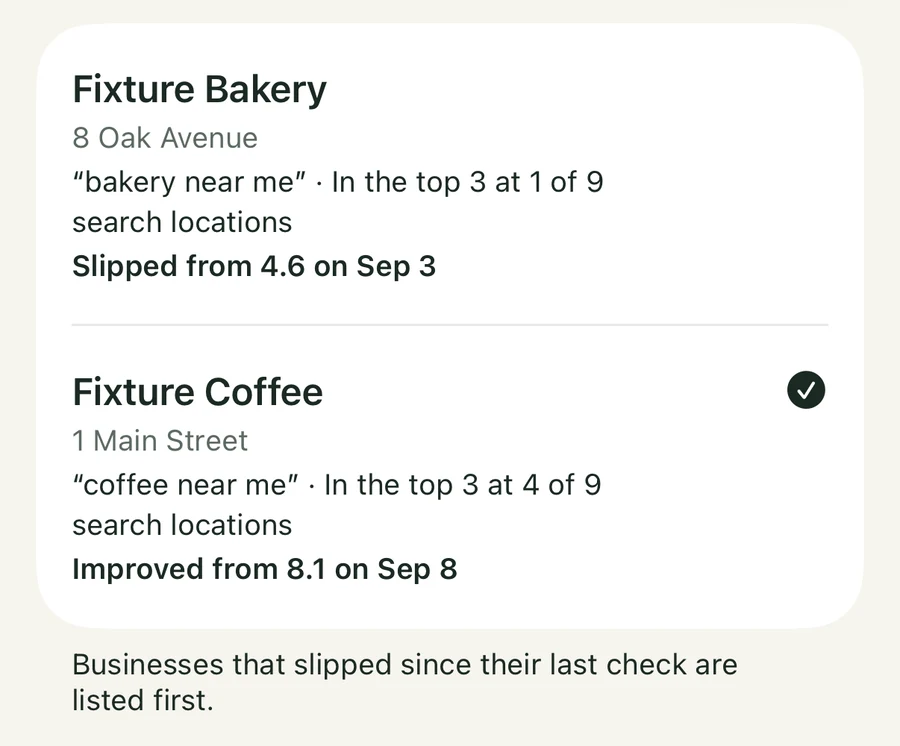
Every business you look after, in one list
Keep several businesses side by side. The ones that slipped since their last check are listed first, and you can set a reminder to re-check each one.

A report you can hand over
Share any check as a PDF that shows the rankings, explains how to read the numbers and says when the check was run. One document can cover every phrase you track for a business. On the Pro plan, reports carry your own name and logo.
Screens are from the app, using made-up businesses and sample rankings. They are not real customers or real results.
For cities, suburbs and small towns
You choose how far out to look. A check uses 9 search locations, or 25 or 49 on the Pro plan.
- Neighborhood
- About 1.5 miles
- Walkable city areas.
- Town
- About 5 miles
- A town or suburb.
- Region
- About 15 miles
- Several towns.
Who it is for
You own a local business
A coffee shop, a dental practice, a repair garage, a salon. You want to know whether people nearby see you when they search, and you do not want to learn a new trade to find out.
You look after several
You are a freelancer or a small agency with local businesses as clients. Keep every client in one list, see who slipped, and send each one a report. On the Pro plan it carries your name and logo.
Good to know
- No account required
- You can set up businesses and run checks without signing in. Sign in with Apple is optional.
- Stored on your iPhone
- Your businesses and checks are saved on your device.
- You see the cost first
- Each search location in a check uses one credit, and the app shows the total before you run it.
- Pricing comes at launch
- Checks are paid for with credits or a Pro subscription. Pricing will be announced at launch.
- It shows, it does not fix
- Streetfinch shows where you rank. It does not change your Google listing and cannot promise a better position.
Streetfinch is not in the App Store yet.
Send us a short email and we will let you know when it is.
Opens your email app. We will use your address only to tell you when Streetfinch is available.